SendFast Tracking and API Integration with ClickPost
Connect SendFast with ClickPost to give shoppers real-time tracking across 15,000+ pin codes, cut delivery queries, and turn every post-purchase moment into repeat business.
Trusted by 450+ global brands
SendFast Tracking
Benefits of Connecting SendFast through ClickPost
SendFast delivers fast across smaller towns and cities, with strong reach in South India and same-day hyperlocal service. ClickPost adds the software layer that SendFast doesn't provide itself. With both, you can:
- Lower WISMO queries by 60% with real-time tracking updates pushed over WhatsApp, SMS, and email.
- Lift NPS by 47% with a branded tracking page that keeps customers informed from dispatch to doorstep.
- Convert 21% of returns into exchanges or store credit rather than refunds.
Check the integration library
| Partner ID | Order Creation | Cancellation | Tracking via Polling | Tracking via Webhook | Proof of Delivery (POD) | Non Delivery Report (NDR) | Create Pickup Request | AWB Generation Flow | Label Generation | Country | |
|---|---|---|---|---|---|---|---|---|---|---|---|

SendFast
|
✓ | ✓ | ✓ | ✓ | ✓ | ✓ | ✓ | Clickpost Generated | India |
SendFast Services with ClickPost
How to Track SendFast Packages
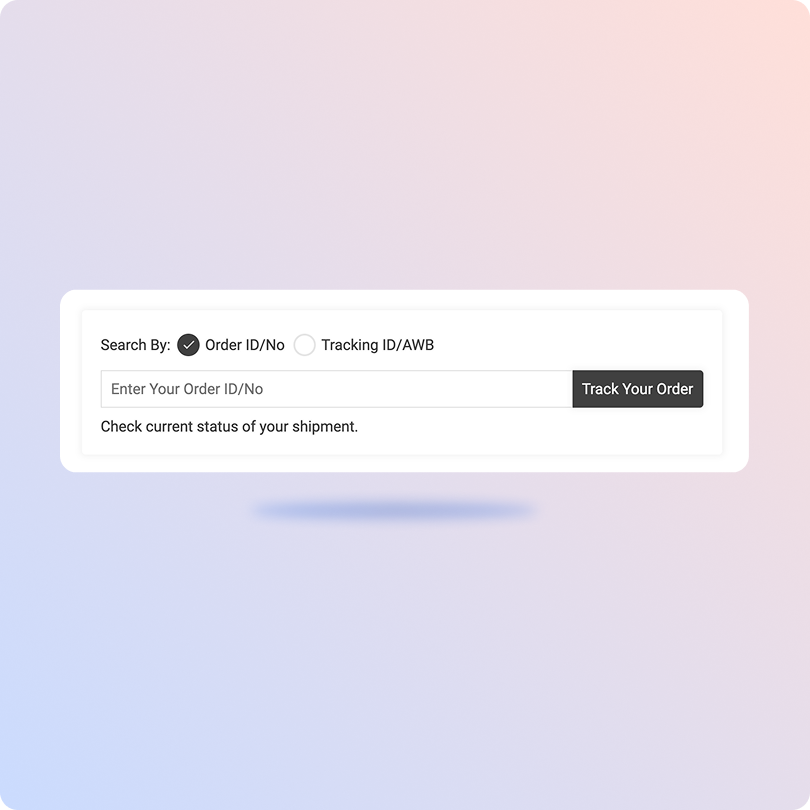
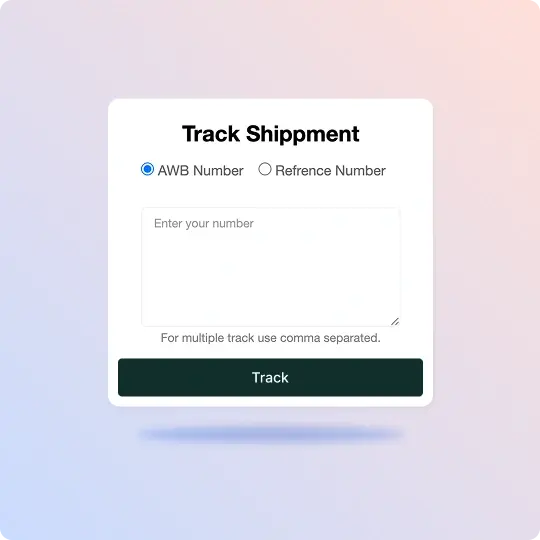
Track SendFast Packages with the ClickPost Tracking Page
- Copy the SendFast tracking number shared in your shipping confirmation.
- Open the ClickPost tracking page at trackmyorder.clickpost.in.
- Paste the tracking number into the search field.
- Hit "Track" to see the live status and latest location of your parcel.
Track SendFast Packages on the Official Page
- Go to the SendFast website at sendfast.in.
- Find the tracking option on the homepage or dashboard login.
- Enter your SendFast tracking or waybill number in the field provided.
- Submit to view the current delivery status of your shipment.
List of SendFast APIs
| API | Description |
|---|---|
| Manifestation and Label Generation API | Create SendFast orders in bulk and print carrier-ready labels automatically, so daily dispatch keeps moving without manual data entry. |
| Track Shipment API | Pull real-time SendFast shipment status onto one dashboard, with no need to check the carrier portal separately. |
| Cancellation API | Cancel SendFast orders in a few clicks, before they are picked up or dispatched. |
| EDD API | Show accurate SendFast delivery dates on your product and checkout pages to build buyer confidence early. |
| NDR Action API | Flag failed SendFast delivery attempts as they happen, with the context your team needs to reattempt fast. |
| Return Webhooks | Kick off reverse pickups automatically the moment a customer files a SendFast return. |
Frequently asked questions
How do I integrate SendFast tracking into my e-commerce platform using their API?
Direct integration means connecting to SendFast's tracking API yourself: you authenticate, map their status codes to your system, handle webhook or polling logic, and maintain that connection whenever the carrier changes something. It works, but it's slow to build and needs ongoing developer time. Because that process is heavy and repeats for every carrier you add, most retailers use a multi-carrier platform like ClickPost that is already integrated with SendFast, so tracking works without building it from scratch.
What is the difference between SendFast webhook tracking and polling-based API integration?
Polling means your system asks for a status update at set intervals, say every few minutes, whether or not anything changed. Webhooks flip that around: SendFast pushes an update to you the moment a shipment status changes. Webhooks are faster and lighter on your servers. Polling is a fallback for when a carrier doesn't push events. ClickPost uses both, so you get updates either way.
How can I automate order tracking notifications using the SendFast API?
The idea is to trigger a message each time a shipment hits a milestone like shipped, out for delivery, or delivered. To do that you need tracking events coming in, logic that decides which event sends what, and a connection to your SMS, WhatsApp, or email provider. That notification layer usually sits outside the carrier's API itself. In practice it's handled by a post-purchase platform like ClickPost, which reads SendFast status updates and fires the alerts on set rules.
What are the primary features of the SendFast shipping API?
Most courier APIs offer a similar core set, and SendFast's covers the usual shipping lifecycle: order creation with label generation, shipment tracking, cancellation, delivery estimates, failed-delivery handling, and return pickups. The exact fields and endpoints vary by carrier. When SendFast is accessed through ClickPost, these functions are exposed through one standardized API, so you don't have to learn SendFast's specific format to use them.
Why is my SendFast shipment status not updating?
A few common reasons could be: the tracking number was entered wrong, the parcel was only just booked and SendFast hasn't scanned it yet, or the carrier's system is running behind. Status often sits quiet during transit between hubs and then jumps several steps at once. Give it a few hours. If it hasn't moved in a day or two, contact your seller or SendFast with the tracking number.
Where does SendFast deliver?
SendFast covers more than 15,000 pin codes across India. Its real strength is reach into Tier II and Tier III towns, where a lot of national carriers thin out, with a particular focus on South India. It handles both intracity and intercity movement, so it works for local hyperlocal drops as well as parcels traveling between cities.
Does SendFast support same-day and next-day delivery services?
Yes. Same-day and hyperlocal delivery are core to what SendFast does. It runs its own fleet of bikers and vans for quick city drops, which suits restaurants, grocery, pharmacy, and retail orders that can't wait. For longer routes it moves parcels intercity, so next-day delivery depends on the distance and the specific lane you're shipping on.
What is SendFast API integration with ClickPost?
It's a ready-built connection between SendFast and ClickPost's platform. You connect to ClickPost once and get SendFast order creation, tracking, cancellation, delivery estimates, NDR handling, and returns through that single link. Building and maintaining the SendFast integration yourself is the alternative, which takes far more developer effort. The same ClickPost connection also runs your other carriers, so everything stays in one place.
How does SendFast tracking work through ClickPost?
After the integration is live, ClickPost pulls SendFast status updates in real time using webhooks and polling. Those updates land on your dashboard, feed your branded tracking page, and trigger customer notifications, all from the same data. So your team, your tracking page, and your customer are always looking at the same status without anyone refreshing the carrier site.
Streamline your shipping experience with ClickPost